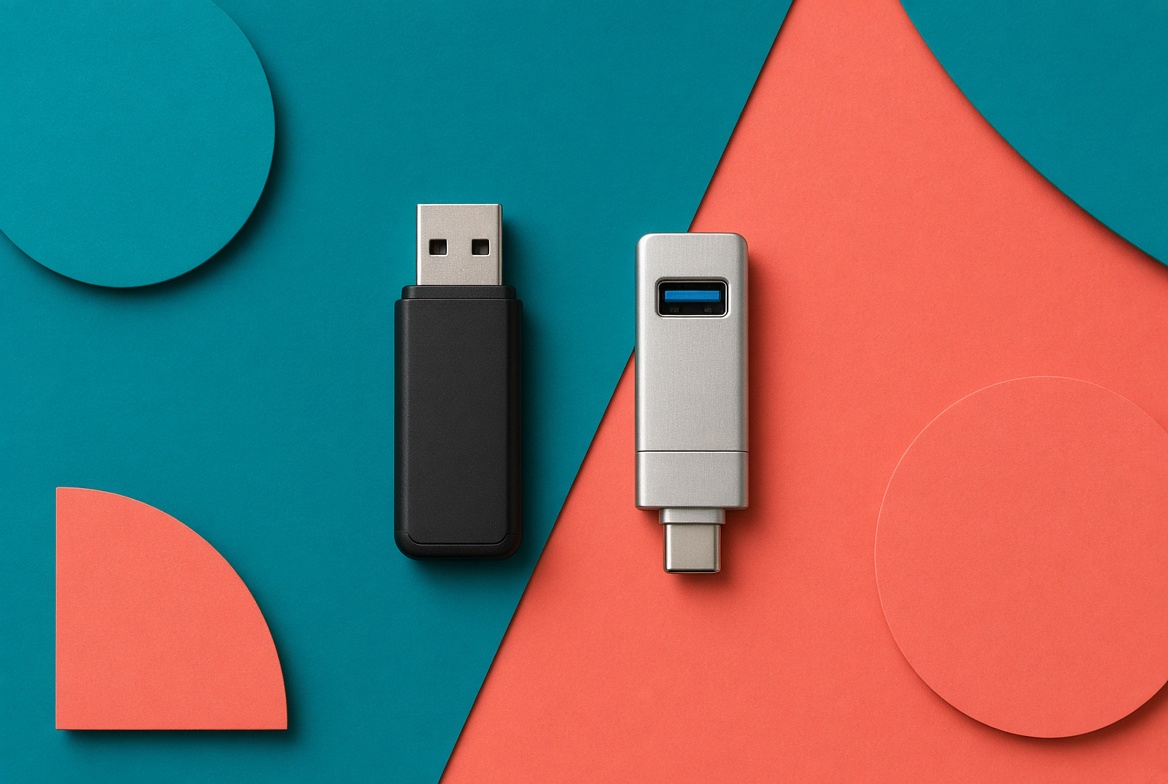
A custom USB flash drive with a logo is not a tiny billboard. It is a way to hand someone files when a link will not do.
Competitor catalogs lead with custom shapes, wristband drives, and 256 GB charts. That is how you overbuy storage and underbuy usefulness. The better question is whether the recipient has a port that fits, whether the advertised gigabytes will hold the actual deck, and whether the files are already on the stick when it leaves the box.
ASI’s 2026 Ad Impressions Study puts USB drives at about 400 lifetime impressions, the low end of the categories in that report. That is industry research, not a reason to skip the product. It is a reason to buy a drive for the file, not for the walk-by logo.
Trendy Promo does not have another USB guide. Tech warnings on the industry page, trade-show list, client-gift guide, and custom power banks stay on batteries and charging. This page owns flash memory, ports, preload, and capacity.
Prices below are planning ranges from common U.S. supplier programs. The exact SKU, chip, decoration, data load, and quote control.
When a promotional USB is the right product
Buy a branded USB drive when:
The recipient needs the files offline: a plant floor, a courtroom, a jobsite, or a classroom with weak Wi-Fi
The files need to work offline and the recipient's IT policy allows removable media
You want one object that is the leave-behind and the archive
IT or legal has approved a physical handoff that can be inventoried
Skip the drive when:
The only content is a URL you could print on a card
The audience is phones-only and has no dongle
The date is a 24-hour rush and the SKU is not in stock. See 24-hour rush promotional products
You were going to leave it empty "so they can use it." Empty cheap drives get tossed with the tote
The recipient's organization blocks outside USB devices or requires an approved secure-transfer method
A cloud folder and a QR card often beat a 2 GB stick with nothing on it. A loaded 16 GB USB-C drive still beats a dead link at a site with no signal.
Ask IT before ordering the drive
Some organizations block outside USB devices or restrict removable storage. Before production, confirm that the recipient's computers permit USB storage and that the selected drive meets the organization's encryption, malware-scanning, and data-handling requirements.
A physical handoff is not automatically more secure than a controlled download. Sensitive files may require an approved encrypted-transfer service or a hardware-encrypted drive selected by the buyer's IT or security team.
The preload process matters too. Use one approved master folder, scan it before submission, and have the buyer test a production sample on an authorized computer before the full run ships. Do not enable automatic file launching.
Capacity: buy the files, not the number on the box
Advertised capacity is not usable capacity. Formatting and controller overhead eat a slice. A 16 GB stick often shows about 14 to 15 GB. Confirm usable space against the actual folder you will load, plus a buffer.
Advertised capacity | What it usually holds | Typical program | Planning delivered each, decorated, mid quantity |
|---|---|---|---|
4 GB | PDFs, a short deck | High-volume aisle only, and only if files fit | $4 to $8 |
8 GB | Documents plus a few photos | Most brochure and catalog loads | $6 to $12 |
16 GB | Photo set, short video, full leave-behind kit | Reserved booth gift, training kits | $8 to $16 |
32 GB | Longer video, software demo | Small lists, press kits | $12 to $22 |
64 GB and up | Heavy media | Named recipients, not a pile | $18 to $35 plus |
Most promotional USB programs still over-order 64 GB because the catalog makes it look cheap at quantity. Pay for the folder you will preload. Do not pay for empty space the recipient will never fill.
USB-A vs USB-C
A USB-A-only stick may still fit older office and industrial equipment, but it can exclude recipients using newer laptops and mobile devices.
Default for new programs: USB-C, or a dual-connector drive that covers both. Confirm the connector on the devices your audience actually carries, not the one in the product photo.
USB-C describes the connector, not the transfer speed. A USB-C drive can still use slow memory. Basic USB 2.0 performance may be adequate for small document folders. For video, software, or hundreds of preloaded drives, ask for the advertised read and write speeds and test a sample. Do not rely only on the connector or a USB generation printed on the sell sheet.
What to put on the drive
An empty promotional USB is a maybe. A preloaded drive is a handoff.
Preload the approved folder: PDF leave-behind, spec sheets, a short video, a contact card. Keep the root clean. One folder with a plain name beats twelve random files.
Volume label is the name that appears when the drive mounts. Use the company or campaign name, not "UNTITLED."
Read-only or dual partition may be available when the approved content should not be deleted or overwritten. Confirm whether the files are truly protected, whether the protection can be removed, and how much capacity remains available to the recipient.
Encryption is a different product. A password prompt on a consumer stick is not the same as a hardware-encrypted drive selected for a controlled environment. HIPAA and CMMC are not simple product certifications for a promotional USB drive. If the brief names healthcare data, controlled unclassified information, CMMC, or a government agency, the buyer's security or compliance team must define the encryption, access-control, validation, and handling requirements. Do not print a security claim the exact SKU and program cannot support.
Send print-ready art using artwork file requirements. Decoration on metal and plastic follows the same setup and run logic as other hard goods. See setup fees, screen charges, and run charges.
Where a custom thumb drive belongs
Belongs
Training kits and new-hire packets that have to work offline
Press and analyst kits with a video the site cannot stream
Reserved trade-show gifts after a demo, sitting behind the conversation the way the trade-show guide treats power banks
Client archives when the file set is the gift. See client appreciation gifts
Does not belong
Unrestricted aisle bins next to candy
A welcome kit that already has a laptop and a cloud login. See the welcome-kit checklist
Any program that treats 400 ASI impressions as the reason to buy. Buy the files.
Planning example: 300-person training day
A manufacturer wants 300 branded drives for a plant training day. Wifi on the floor is unreliable. The folder is 6.2 GB of PDFs and short clips.
Version | Spec | Planning delivered | Outcome |
|---|---|---|---|
Catalog default | 64 GB USB-A, empty | about $6,000 | Extra capacity nobody uses. Half the laptops on the floor need a dongle. |
Job spec | 16 GB USB-C or dual, folder preloaded, volume label set | about $3,900 | The file opens. The extra money goes into a printed one-pager, not empty gigabytes. |
This is a planning example based on typical supplier pricing, not a named customer case.
Planning example: 80 press kits
A software company wants a launch leave-behind. First idea: 80 empty 32 GB sticks in a tin.
Rework: 16 GB dual-connector drives, demo folder locked read-only, one-sheet in the box, QR on the sheet for the live update. Cost lands close to the empty 32 GB plan because you dropped unused capacity and added preload.
The drive is the archive. The QR is the update. Neither tries to do the other’s job.
This is also a planning example, not a named customer case.
How to order custom USB flash drives with a logo
Send this in the first note:
The exact folder size you will load, in gigabytes, plus a buffer
USB-C, USB-A, or dual
Quantity and whether sticks ship empty or preloaded
Volume label and whether the content partition should be read-only
Any encryption or compliance requirement, named, not implied
Decoration method and the file
In-hands date and ship-to pattern
Who approves a sample stick before the run
Whether the recipient's IT policy allows external USB storage
Who scans and approves the preload master and production sample
Work the date the same way as how to order promotional products. Preload adds production time. Do not treat data loading like a 24-hour tee. Browse USB flash drives by capacity and style once you know the folder size.
What Trendy Promo will and will not do
We will not sell a 64 GB empty USB-A stick as a modern gift because the catalog photo looks busy.
We will spec capacity to the folder, default to USB-C or dual when the audience is current laptops, and say when a printed URL is the better piece. Security language stays off the order unless the SKU supports it.
That matches the return and reprint policy.
Send the folder size, quantity, port, and date. After the event, score the program with the ROI guide on whether the files were opened, not on whether the stick photographed well in a bowl. If the files can live in the cloud, tech gifts with more daily use may serve the budget better. For desk setups, multi-port USB hubs and memory card readers carry the logo just as well.